
BIMTLY Tracking
Every vehicle on one live map, every drive and stop of any day, and the odometer and fuel from the car itself — with reports for the office.
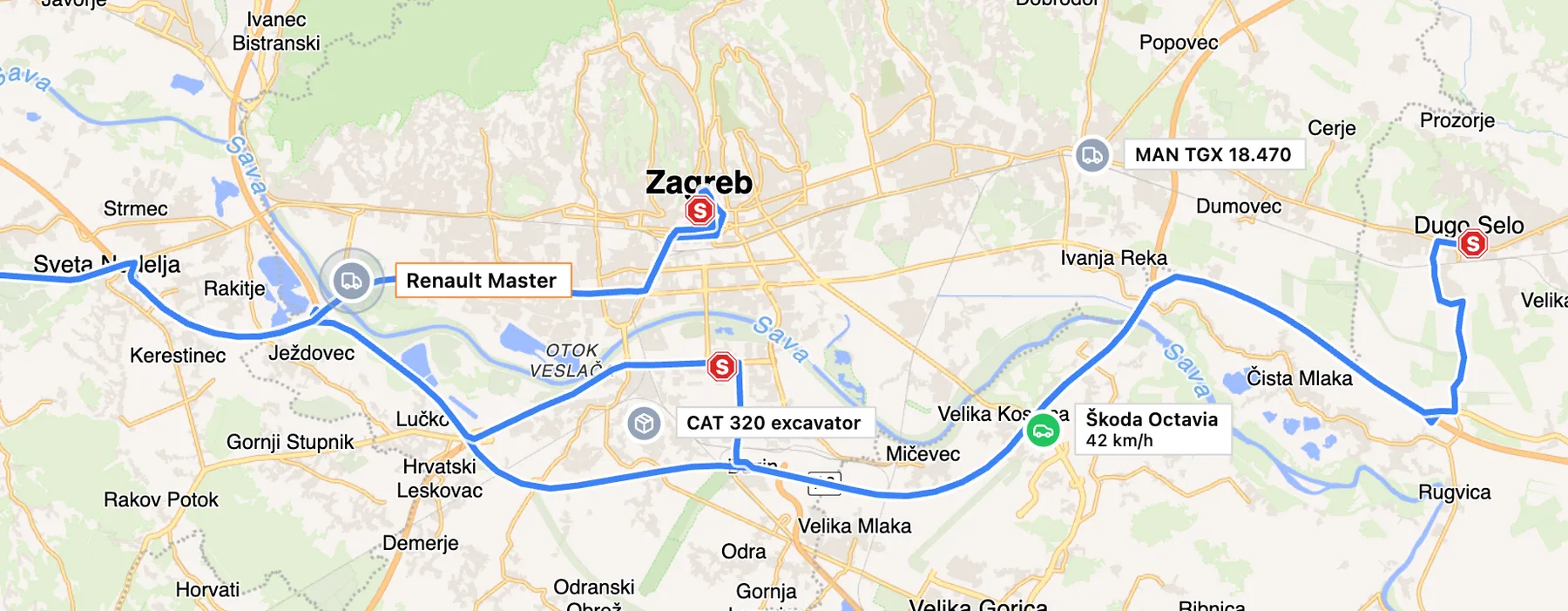
Every vehicle, live on one map
Vans, trucks, cars and machines on one map: where each one is, how fast it drives, since when it is parked, and who drives it. Choose one to see its drives and stops.
- Live position, speed and direction
- Parked since when, engine on or off
- Driver and fuel beside every vehicle
- Follow a vehicle while it drives
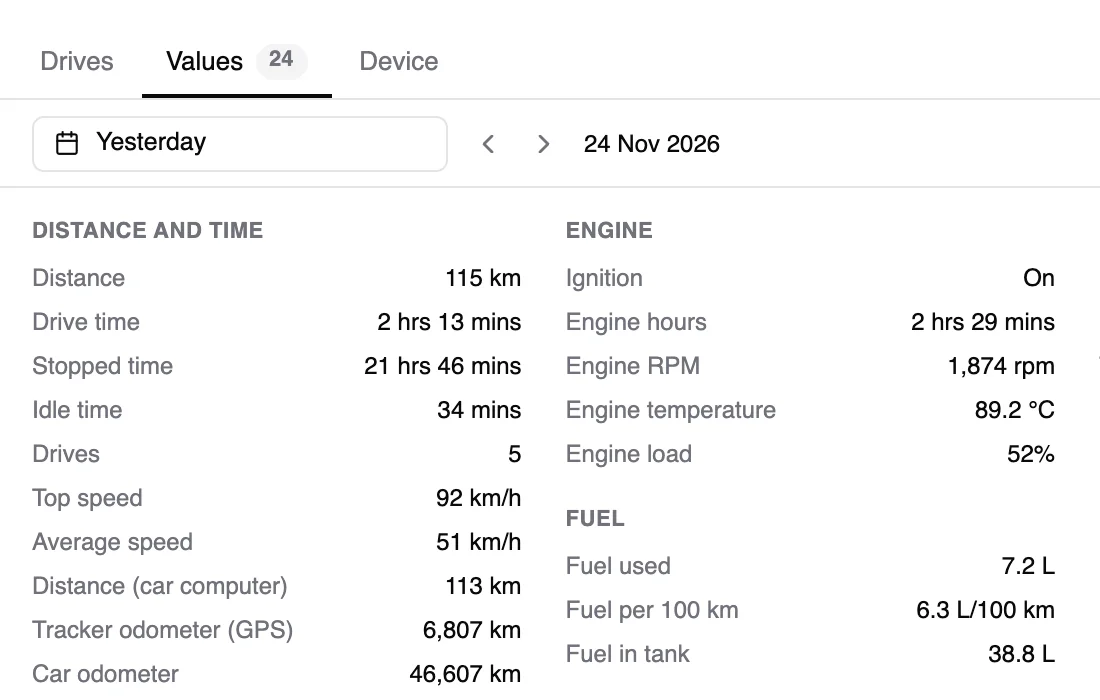
The odometer and the fuel from the car itself
The tracker reads the car computer, so you see what the dashboard shows. Correct the odometer once from the dashboard and every drive follows.
- The car’s own odometer
- Fuel in the tank, fuel used and litres per 100 km
- Engine hours, RPM, temperature and the battery
- Values the car does not send are hidden, never shown as zero
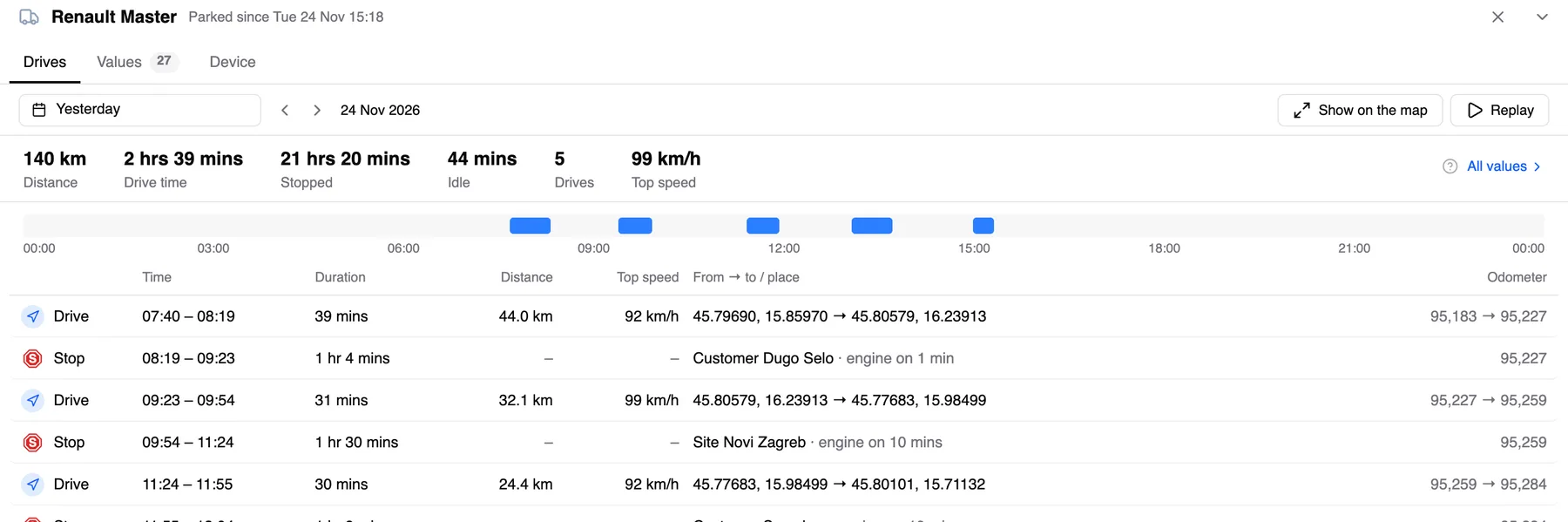
Every day as drives and stops
A timeline of the day and a list of each drive: when it started, how long it took, how far it went, from where to where, and the odometer at both ends.
- Drives and stops made from the tracker’s readings
- Stops named by your places
- Idle time with the engine on
- Click a drive to see it on the map
Reports for the office, ready in seconds
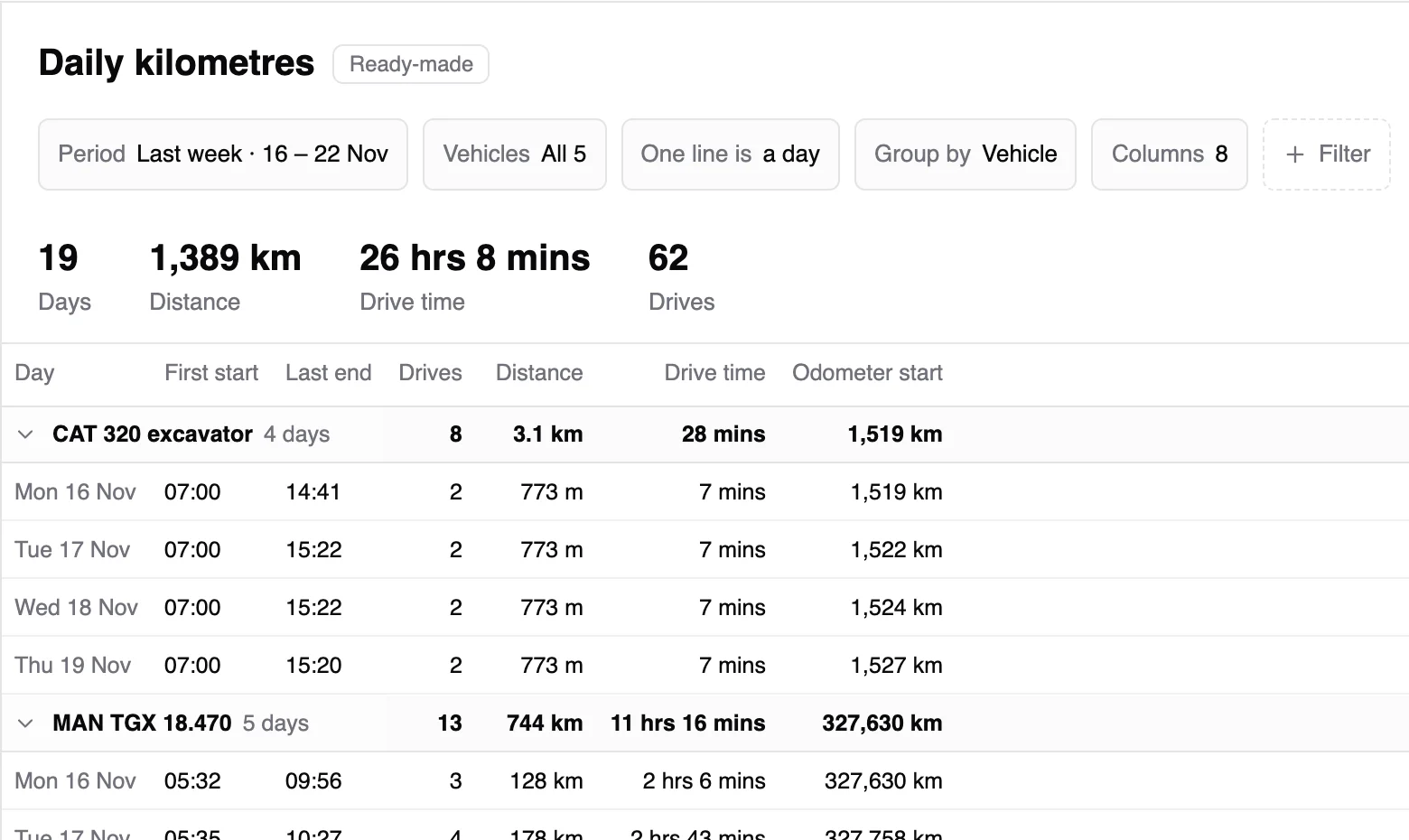
Choose the period, the vehicles or the drivers, and the columns. Group the lines and download the report for Excel.
- Drives, Stops, Daily kilometres, Vehicle summary, Logbook, Idle, Speeding
- Group by vehicle, driver, day, week or month, with totals
- Download as Excel or CSV
- Periods up to a whole year
A week, six months or a whole year
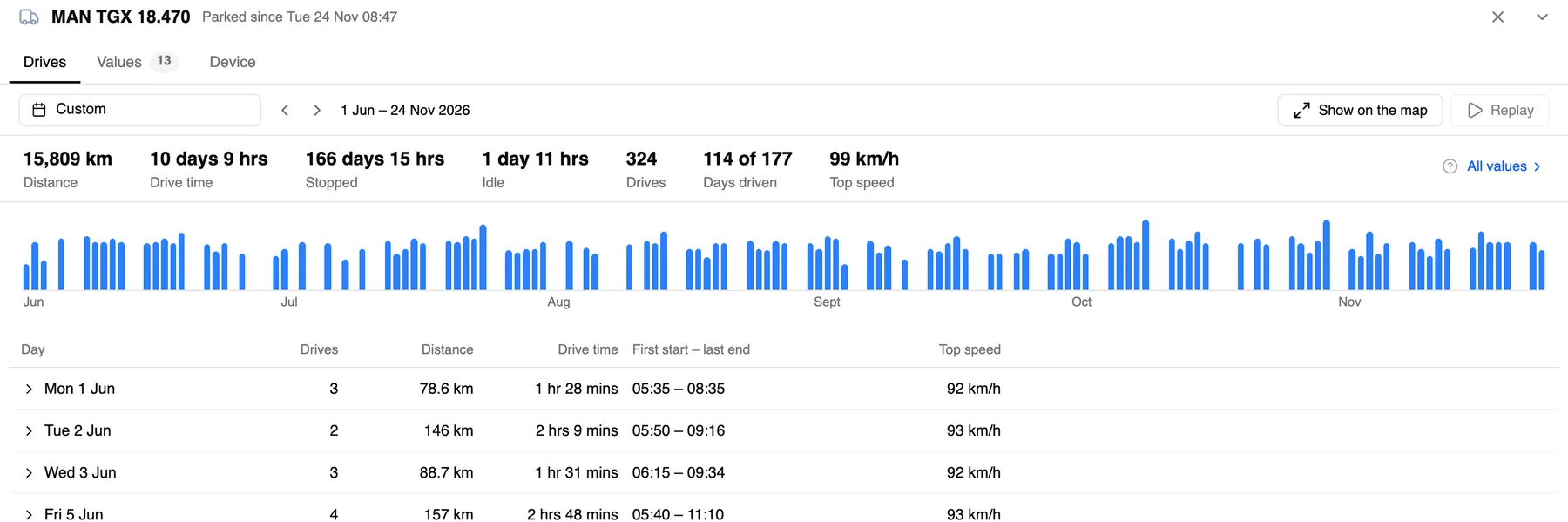
One column for each day, its height the day’s distance. Click a day and its drives open below.
- Distance, driving time, stops and idle time
- Days driven out of the period
- Top speed of the period
Your depot, your customers, your sites
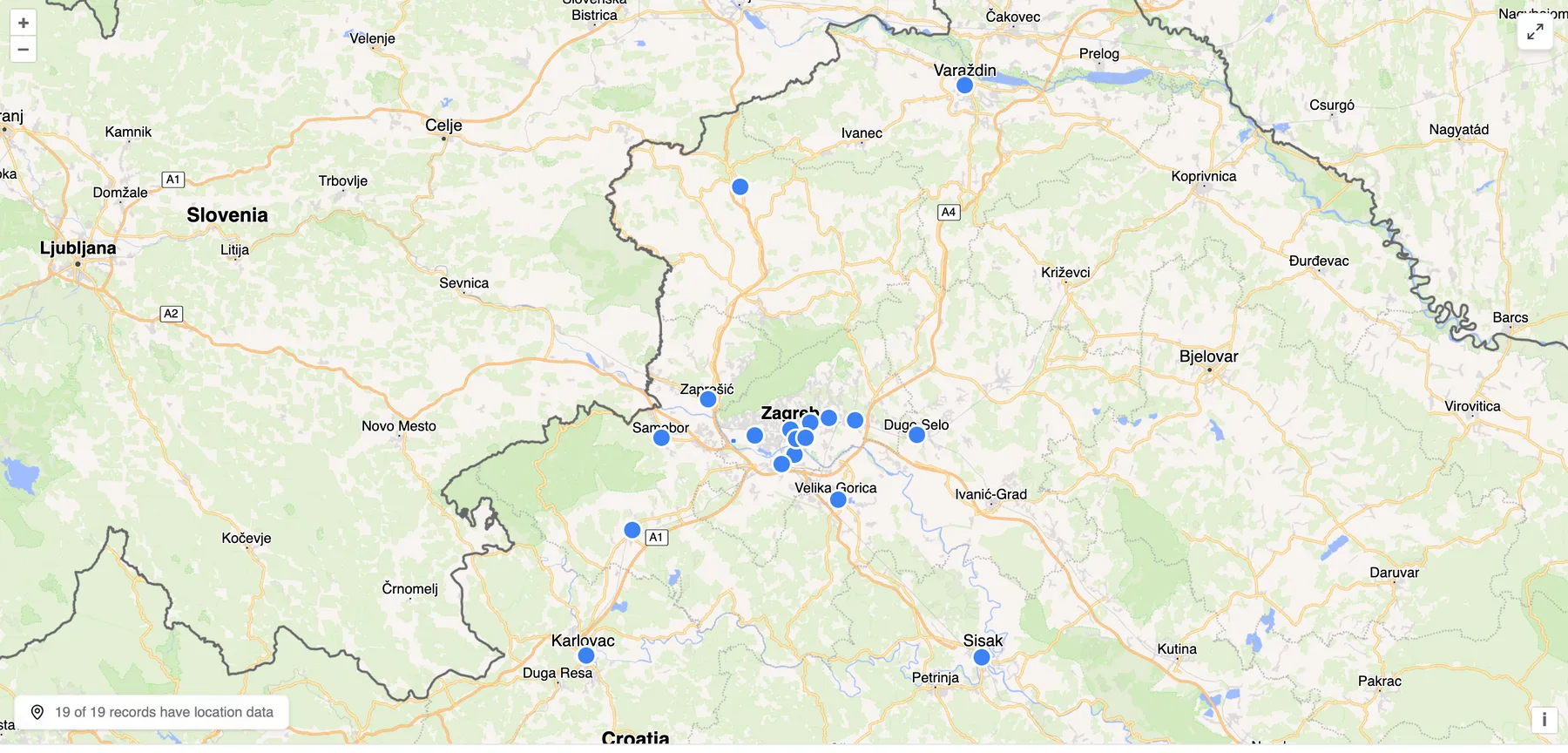
Add your places once — type an address, place a point or draw an area, or import a list from Excel. Every stop then shows the place by its name.
- A point with a radius, or an area
- Import places from Excel
- Old stops get the name too
Replay any drive
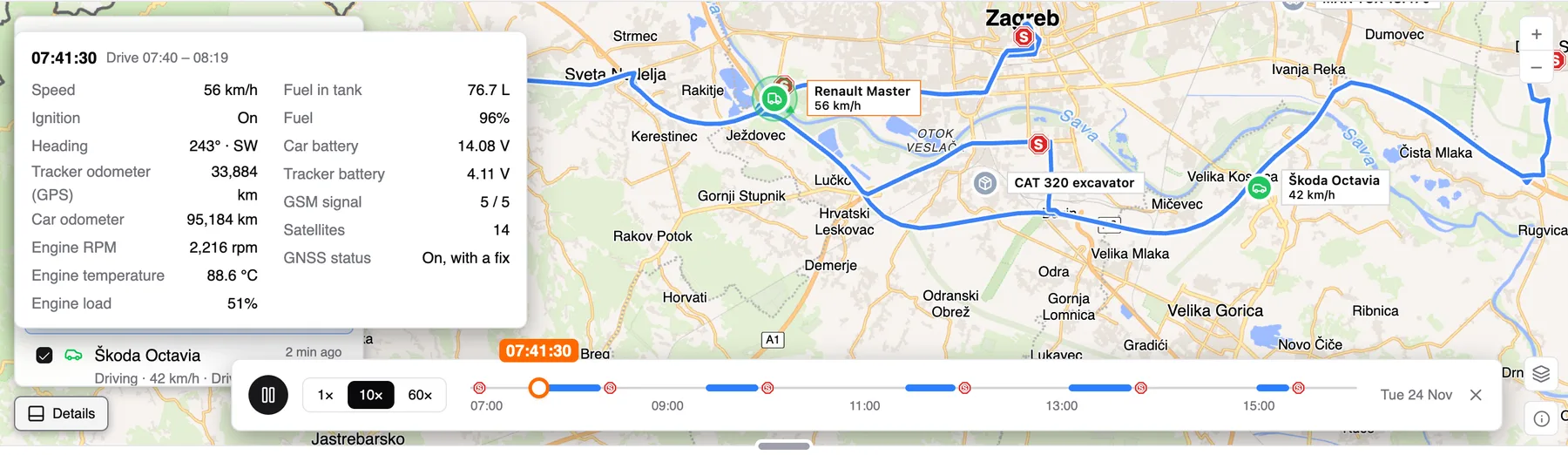
Watch the vehicle drive again on the map, with its speed, fuel and engine at every moment.
- Up to a week of drives
- 1×, 10× or 60× speed
- Jump to any minute on the bar
Know where every vehicle is
Tracking is included in every BIMTLY workspace. Start with one Teltonika tracker.
Get Started